CAD vs BIM: Essential Design Tools Explained
Unlock the differences between CAD and BIM: from basic drafting to intelligent lifecycle modeling for modern construction projects.
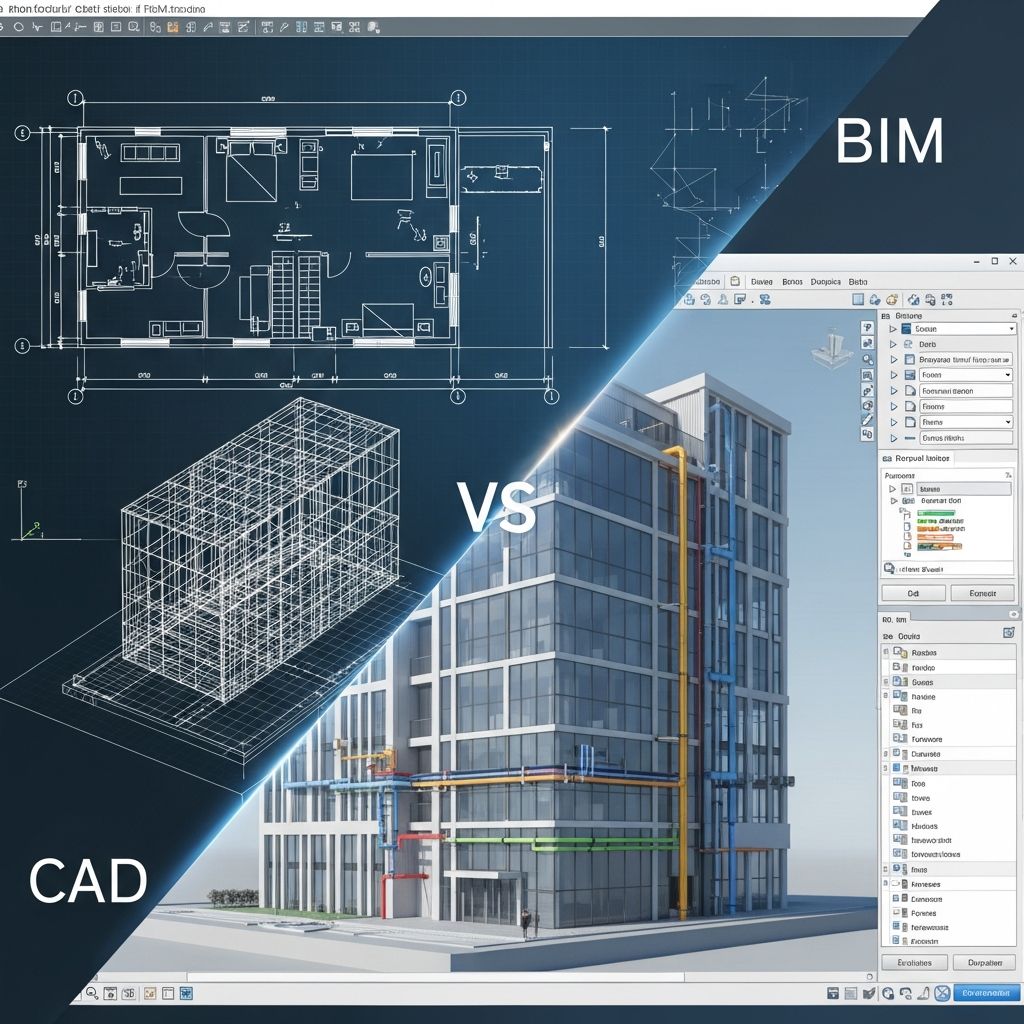
Computer-Aided Design (CAD) and Building Information Modeling (BIM) represent foundational technologies in modern architecture, engineering, and construction (AEC). CAD excels in precise 2D and 3D drafting, while BIM offers a data-driven, collaborative approach for entire project lifecycles.
Understanding CAD: The Foundation of Digital Drafting
CAD, or Computer-Aided Design, revolutionized technical drawing by replacing manual methods with digital precision. Engineers and architects use CAD software to generate accurate 2D plans, elevations, and 3D models of components or assemblies.
Originally developed for manufacturing and mechanical engineering, CAD software like AutoCAD enables users to create detailed schematics for everything from airplane parts to consumer electronics. Its strength lies in geometric accuracy, allowing exact measurements and scalable designs. Common file formats include DWG and DXF, which facilitate interoperability across platforms.
CAD’s evolution over decades has supported complex assemblies, speeding up production from concept to fabrication. However, it primarily focuses on isolated elements rather than holistic building systems.
Building Information Modeling (BIM): Beyond Design to Intelligence
BIM stands for Building Information Modeling, a process that creates intelligent 3D models embedded with rich data about a structure’s physical and functional characteristics. Unlike CAD’s line-based drawings, BIM uses parametric objects that store information on materials, costs, performance, and maintenance needs.
This data-rich environment supports collaboration among architects, engineers, contractors, and owners. BIM models extend to 4D (scheduling) and 5D (costing), enabling simulations of construction sequences and budget tracking. Professionals can visualize, analyze, and clash-detect issues before breaking ground, reducing errors and rework.
Key Differences: CAD and BIM Compared
While both tools aid design, their scopes diverge significantly. CAD prioritizes drafting precision for individual components, whereas BIM manages interconnected building data across phases.
| Feature | CAD | BIM |
|---|---|---|
| Dimensionality | 2D/3D geometric modeling | 3D+ (4D time, 5D cost) |
| Data Content | Shapes, dimensions | Materials, specs, lifecycle info |
| Focus | Individual drawings/components | Whole-building systems |
| Collaboration | File-based sharing | Centralized model access |
| Use Case | Detailed drafting, manufacturing | Project lifecycle management |
This table highlights how BIM builds on CAD by integrating broader intelligence. CAD files represent static views, while BIM delivers dynamic, queryable databases.
Practical Applications in the AEC Industry
In architecture, CAD produces floor plans and sections with millimeter accuracy, ideal for initial sketches and regulatory submissions. BIM, however, allows real-time updates across disciplines; changes to structural elements automatically propagate to mechanical and electrical systems.
Engineering teams leverage CAD for precise component design, such as HVAC ducts or steel beams. BIM enhances this by simulating energy performance and sustainability metrics, aiding LEED certifications.
Construction benefits most from BIM’s clash detection, which identifies interferences—like plumbing clashing with beams—early, potentially saving 10-20% on costs. Contractors use BIM for quantity takeoffs and 4D scheduling to optimize sequencing.
Software Solutions: Popular Tools and Integration
Leading CAD tools include AutoCAD for 2D/3D drafting and SolidWorks for mechanical parts. BIM platforms like Revit, ArchiCAD, and Vectorworks create parametric models.
Integration is key: AutoCAD drawings import seamlessly into Revit, combining CAD’s detail with BIM’s context. This hybrid workflow ensures precision within collaborative environments. Cloud-based platforms further enable real-time team access.
Benefits and Challenges of Transitioning to BIM
BIM drives efficiency: projects report up to 30% faster delivery and fewer change orders due to better coordination. It supports facility management post-construction, with models feeding into operations software for maintenance tracking.
Challenges include a learning curve, higher initial costs, and data management demands. Smaller firms may stick with CAD for simple projects, while large ones mandate BIM for complexity.
- Cost Savings: Automated quantities reduce estimation errors.
- Improved Visualization: VR/AR walkthroughs enhance stakeholder buy-in.
- Sustainability: Energy analysis optimizes designs early.
- Risk Reduction: Virtual construction minimizes on-site surprises.
The Future: BIM’s Expanding Role and CAD’s Enduring Value
As digital twins and AI integrate, BIM evolves into full lifecycle platforms, predicting maintenance via IoT data. CAD remains vital for niche detailing and non-building projects like product design.
Industry standards like ISO 19650 promote BIM adoption, with governments requiring it for public projects. Hybrid tools bridge the gap, ensuring both technologies coexist.
Frequently Asked Questions (FAQs)
Is BIM a replacement for CAD?
No, BIM complements CAD. Use CAD for precise 2D/3D drafting and BIM for integrated project modeling.
Can CAD files be used in BIM software?
Yes, formats like DWG import directly, allowing seamless workflows.
What industries benefit most from BIM?
AEC sectors, especially large infrastructure and commercial buildings, see the greatest gains.
How does BIM reduce project costs?
Through clash detection, accurate quantities, and collaborative planning.
Is BIM suitable for small projects?
For simple residential work, CAD may suffice; BIM shines in complex scenarios.
References
- BIM vs. CAD: Key Differences & When to Use Them — Matterport. 2023-06-15. https://matterport.com/blog/bim-vs-cad
- BIM vs CAD: Exploring the key differences — BIMcollab. 2024-02-20. https://www.bimcollab.com/en/resources/blog/bim-vs-cad-comparison/
- BIM Vs. CAD Files: What’s The Difference? — Thomasnet Blog. 2023-11-10. https://blog.thomasnet.com/cad-vs-bim-files
- What is the difference between CAD and BIM? — ENG BIM. 2024-01-05. https://engbim.com/what-is-the-difference-between-cad-and-bim/
- BIM vs. CAD with Revit and AutoCAD — Autodesk. 2025-03-12. https://www.autodesk.com/solutions/revit-vs-autocad
- BIM vs. CAD: the Key Differences — Vectorworks. 2024-09-18. https://www.vectorworks.net/en-US/newsroom/cad-vs-bim
Similar Articles








Read full bio of medha deb